
Welcome to Pollen8
Welcome to Pollen8
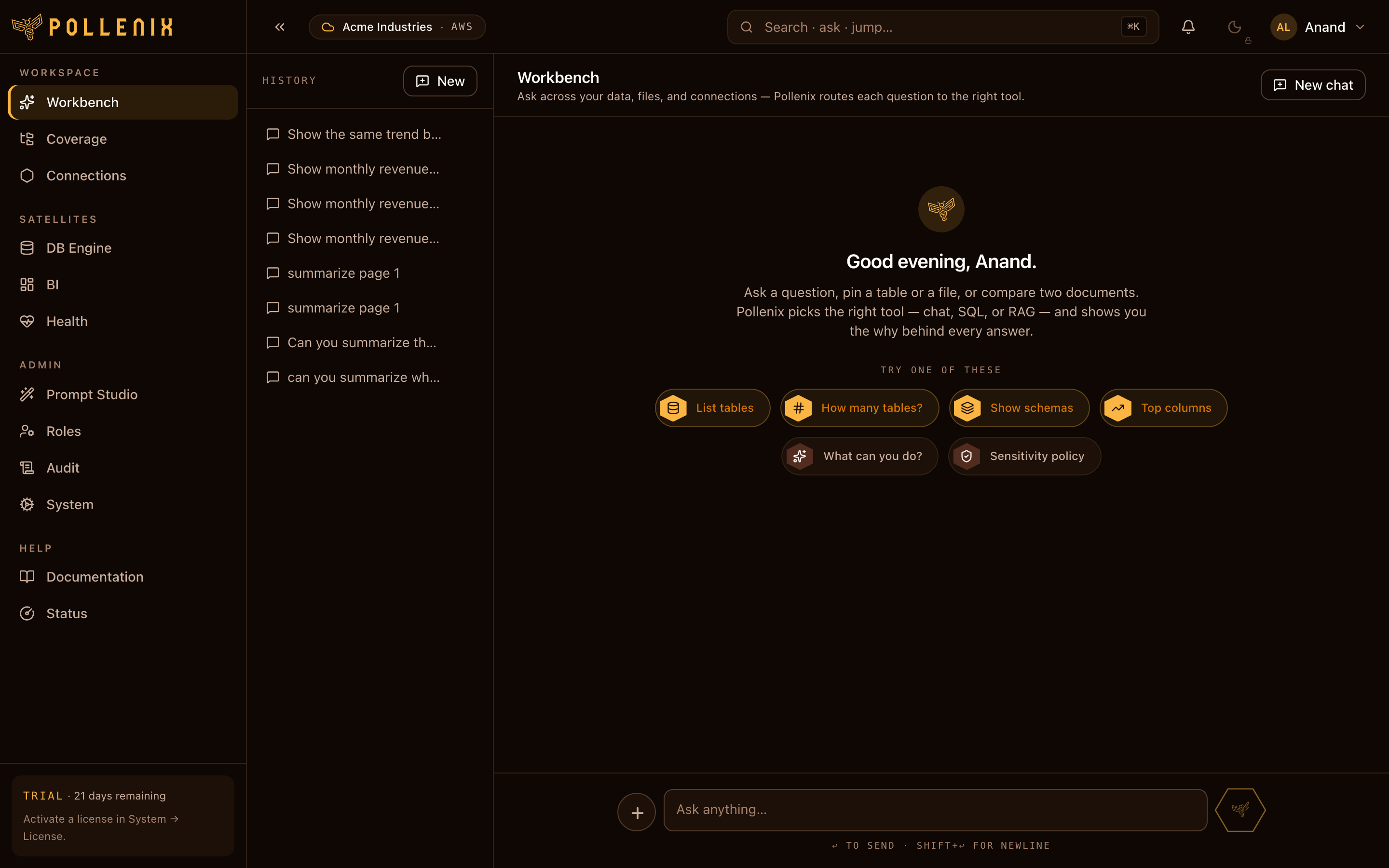
Pollen8 is an explainable AI platform you deploy in your own cloud. Ask questions over your databases and files; get answers with sources, caveats, and a trace of what shaped them. Pin the results onto live dashboards or share read-only links with the people who need the numbers.
This site documents how to set up, administer, and use Pollen8 once it’s running in your AWS or Azure account.
What’s in these docs
🍯 Get started
Deploy Pollen8 into your cloud, run the first-run setup wizard, sign in.
🛠️ Admin guides
Every config surface: AI providers, DB connections, Coverage, Prompt Studio, sensitivity, workspaces, SSO, audit.
💬 User guides
Ask questions in the Workbench, organize files in Coverage, build dashboards in BI.
Concepts at a glance
- Workbench — the conversational surface. Pin tables and files, ask natural-language questions, get answers that cite their sources.
- Coverage — your file workspace. Personal home + shared drives. Files stay in your cloud storage; Pollen8 only indexes them for search.
- Skills — specialized answer paths Pollen8 picks per question. The DB skill writes SQL against connections you grant; the Files skill answers from documents.
- BI — pin chat answers onto live dashboards. Mix database widgets and file-backed widgets on the same canvas. Share read-only links.
- Sensitivity shield — automatic PII detection on every message in and every reply out. You stay in control of what’s masked and who can reveal it.
- Prompt Studio — tune how Pollen8 speaks per industry, per role, per user — and override the per-skill prompts when you need finer control.
:::tip A note on the Why Engine
Every answer Pollen8 produces is accompanied by an explanation: which sources were used, which caveats apply, and which decisions shaped the response. You’ll see it referenced throughout — look for the “trace” or “sources” affordances on each answer. :::
Where to go next
- Setting up for the first time? → Install
- Returning admin, just need to configure a new connection? → Connections
- End user, just want to use the Workbench? → Workbench