
Database connections
Database connections
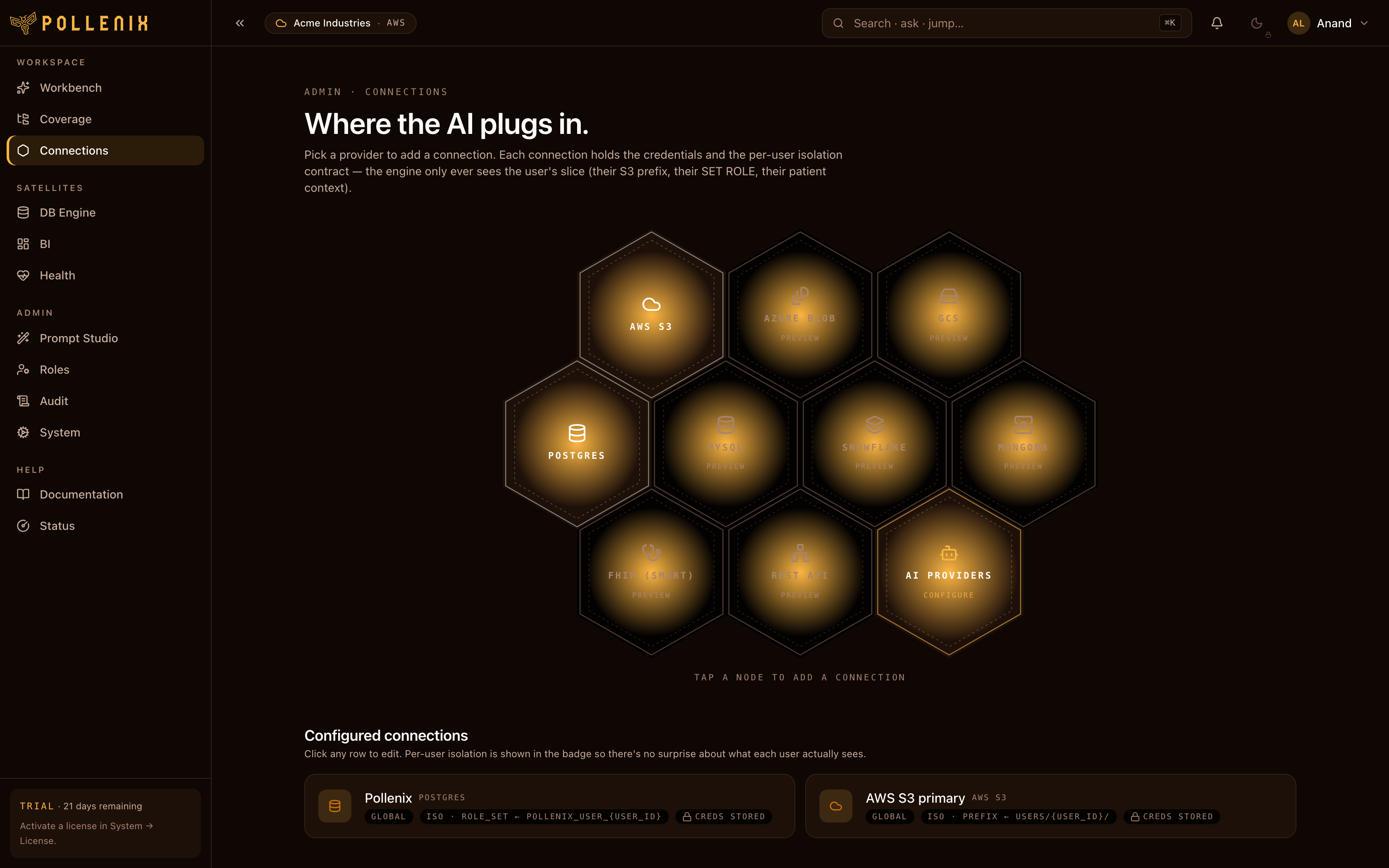
A Connection is a read-only DB credential Pollen8 uses to answer questions in the Workbench. Admins create connections; per-user / per-role / per-workspace grants decide who can query through them and which tables they’re allowed to see.
Open Connections in the navbar.
Supported drivers
| Driver | Notes |
|---|---|
| Postgres | Standard. |
| MySQL / MariaDB | mysql+aiomysql. |
| SQL Server | mssql+aioodbc. ODBC driver must be installed in the cluster. |
| Snowflake | OAuth or key-pair. |
| BigQuery | Service account JSON. |
| Redshift | Postgres wire-compatible. |
| SQLite | Mostly for local dev. |
Add a connection
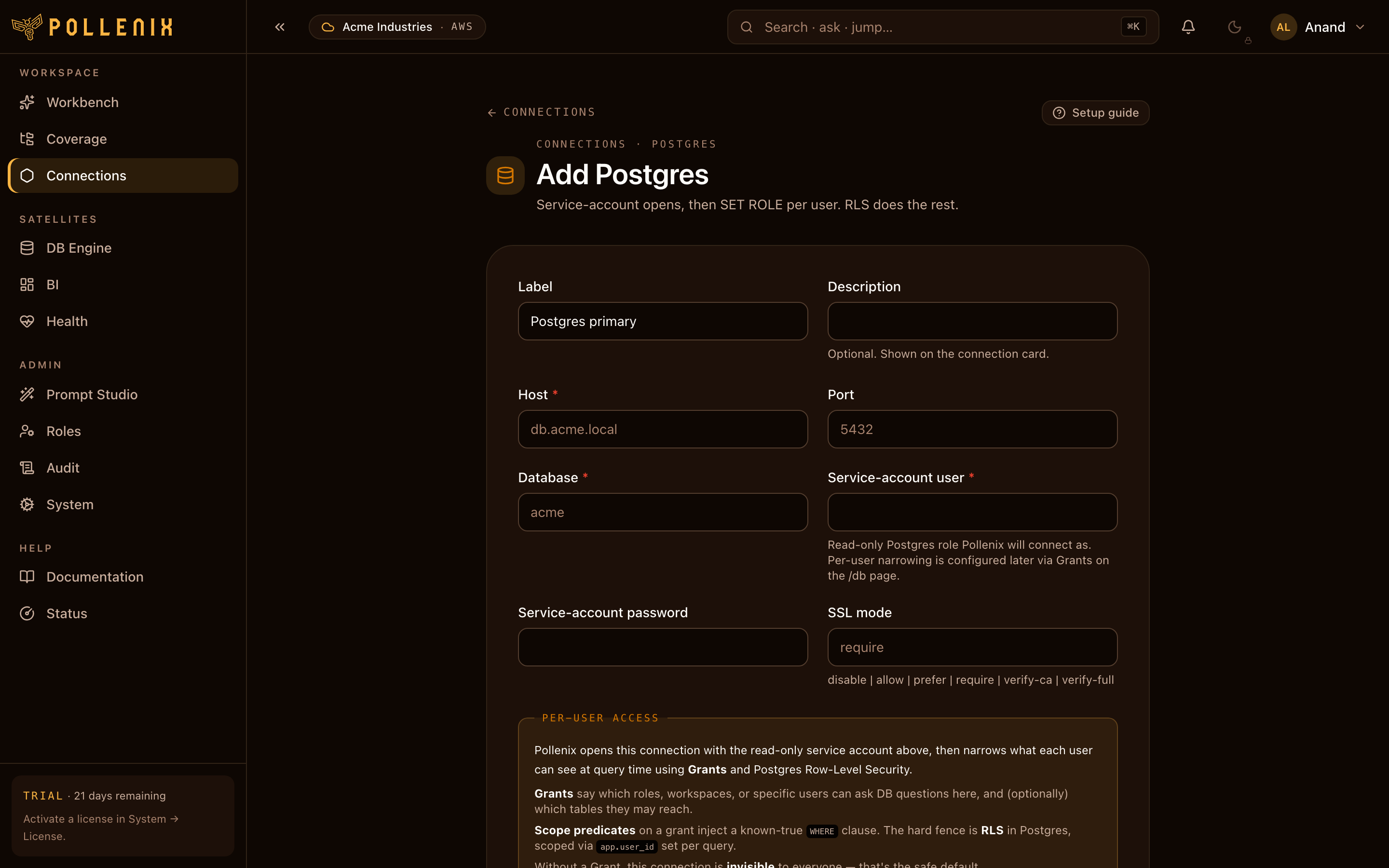
- Click New connection.
- Pick the driver kind.
- Fill in host, port, database name, schema (optional).
- Pick a secret backend — Pollen8’s local vault, or your AWS Secrets Manager / Azure Key Vault — then paste the read-only DB credentials.
- Click Test connection — runs
SELECT 1plus a small introspection query. - Save.
:::caution Use a read-only role
Pollen8’s SQL writer is constrained to SELECT and the executor
refuses anything else, but defense-in-depth: give the connection a
read-only role at the DB.
:::
Schema introspection
After saving, Pollen8 runs a one-shot schema catalog crawl: it walks the connection’s tables, columns, types, and primary/foreign keys. The catalog drives autocomplete, the table picker, and the NL→SQL writer’s understanding of what’s queryable.
You can trigger a refresh from the connection row’s menu (Re-introspect) whenever you add or remove tables in the source DB.
What’s next
A connection alone doesn’t let anyone query — you also need grants to bind it to users, roles, or workspaces.